

How Screen Time Is Damaging Your Eyes (And the Habits That Actually Help)
Our Edmonton opticians break down How Screen Time Is Damaging Your Eyes (And the Habits That Actually Help)
By now you've probably felt it. The burning sensation that sets in around 3 PM on a workday. The way your eyes feel like they're full of sand by the time you close your laptop. The headache that shows up reliably after a few hours of video calls.
If you're spending 8 to 11 hours a day in front of screens, which is where the average Canadian adult sits according to a 2024 report by the Canadian Radio-television and Telecommunications Commission, your eyes are under sustained, repetitive stress in a way no previous generation has dealt with. Let's get into what's actually happening and what's worth doing about it.
What Is Digital Eye Strain, Exactly?
Digital eye strain, also called computer vision syndrome, is a cluster of symptoms caused by extended screen use. The most common ones are: dry, irritated, or burning eyes; blurry or double vision at the end of the day; headaches, especially around the forehead and temples; difficulty refocusing between near and far distances; and that heavy, tired feeling behind your eyes that makes you want to close them.
According to the American Academy of Ophthalmology, more than 50 percent of regular screen users experience these symptoms at least occasionally. For people working from home, where the boundary between work and screen time has basically dissolved, the number is higher.
Why Screens Are Harder on Your Eyes Than Paper
A few things are happening simultaneously when you stare at a screen for hours that don't happen with a printed page:
• Your blink rate crashes. The average blink rate drops from around 15 per minute during normal activities to roughly 5 to 7 per minute during focused screen use. Blinking is what spreads your tear film across the surface of your eye. Less blinking means faster evaporation, leading to dry, uncomfortable eyes.
• Your focusing muscles work constantly. Unlike a printed page where the text stays put, screens flicker and refresh, and your eyes constantly micro-adjust to maintain focus. Over hours, this fatigues the ciliary muscle inside your eye.
• Screen distance and angle are usually wrong. Most people's screens are positioned too high or too close. The ideal setup is the top of your monitor at or slightly below eye level, and the screen approximately arm's length away.
• Contrast and glare add load. Bright backgrounds, screen glare from windows or overhead lighting, and high contrast text all increase the visual effort required.
The Real Story on Blue Light
Blue light is a short-wavelength, high-energy part of the visible spectrum. Screens do emit it. But here's the important context: the sun emits dramatically more blue light than any screen. According to the Canadian Ophthalmological Society, current research has not established that blue light from screens causes permanent eye damage.
So why does everyone keep talking about it? Because there's one area where blue light does have a real, documented effect: sleep. Blue light in the evening suppresses melatonin production, which delays your ability to fall asleep. If you're on your phone for an hour before bed and you notice you can't wind down, that's a real mechanism.
For daytime screen use, blue light isn't the primary problem. Reduced blink rate, poor ergonomics, and eye muscle fatigue are.
The 20-20-20 Rule: Simple and Actually Effective
Every 20 minutes, look at something at least 20 feet away for at least 20 seconds. This gives your ciliary muscle a genuine rest and allows your blink rate to normalize briefly. It's one of the most evidence-supported, zero-cost habits you can build into your workday.
Set a reminder on your phone, use a browser extension like Stretchly, or just make it a habit every time you stand up for water. The method doesn't matter. Consistency does.
Preservative-Free Artificial Tears: Underrated
Using preservative-free lubricating eye drops two to three times during a long screen session is one of the most effective things most people never do. Preserved drops are fine for occasional use, but if you're using them multiple times a day, preservative-free formulations are gentler on the ocular surface over time.
Brands like Systane Ultra PF or Refresh Optive are available over the counter at most pharmacies and make a real difference for people with chronically dry eyes during screen-heavy workdays.
When Your Prescription Is the Actual Problem
Here's something most people miss: one of the most common causes of eye strain during screen use is an outdated prescription. If your glasses or contact lens prescription is even slightly off, your eyes have to work overtime to compensate. That extra effort shows up as fatigue, headaches, and difficulty focusing.
If you're experiencing persistent eye strain and you haven't had your prescription checked in over a year, that should be the first thing you rule out.
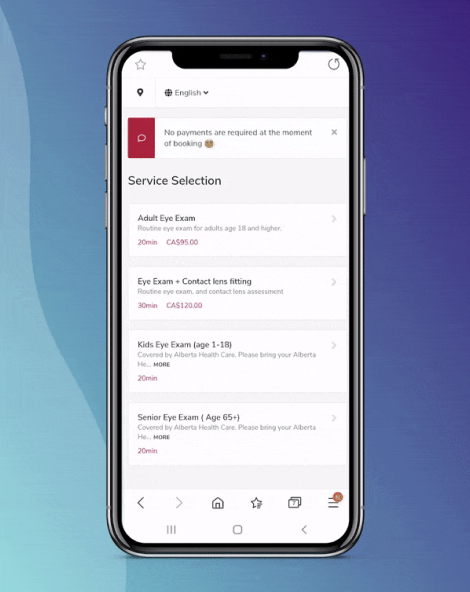
If your eyes are regularly tired or uncomfortable during screen time, let's find out why. Book an exam at Charm Optical.
Frequently Asked Questions
Do blue light glasses actually help with eye strain?
For screen-related eye strain specifically, the evidence for blue light glasses is weak. The main causes of eye strain are reduced blink rate, eye muscle fatigue, and poor ergonomics, none of which are addressed by a lens tint. Anti-reflective coatings do make a genuine difference for glare and contrast, and we carry those. For evening use to help with sleep, blue light filtering has a more reasonable evidence base.
How do I set up my screen to reduce eye strain?
Position your screen so the top edge is at or slightly below eye level. Keep it roughly arm's length away, about 50 to 70 cm. Reduce glare by angling your screen away from windows and using matte screen protectors or anti-reflective coatings on your glasses. Increase font sizes to avoid squinting.
Can screen time cause permanent eye damage?
Current research, including from the Canadian Ophthalmological Society, does not support the idea that typical screen use causes permanent eye damage in adults. The symptoms are real and uncomfortable, but they're reversible with the right habits and a current prescription. Long-term UV exposure outdoors is a much larger documented risk for permanent damage.
My child complains about headaches after screen time. Is that a vision problem?
Possibly. Headaches after screen use or close work in children are a common symptom of uncorrected farsightedness or a focusing disorder. A comprehensive eye exam is the only way to know for sure. Alberta Health covers it at no cost for kids under 19.